
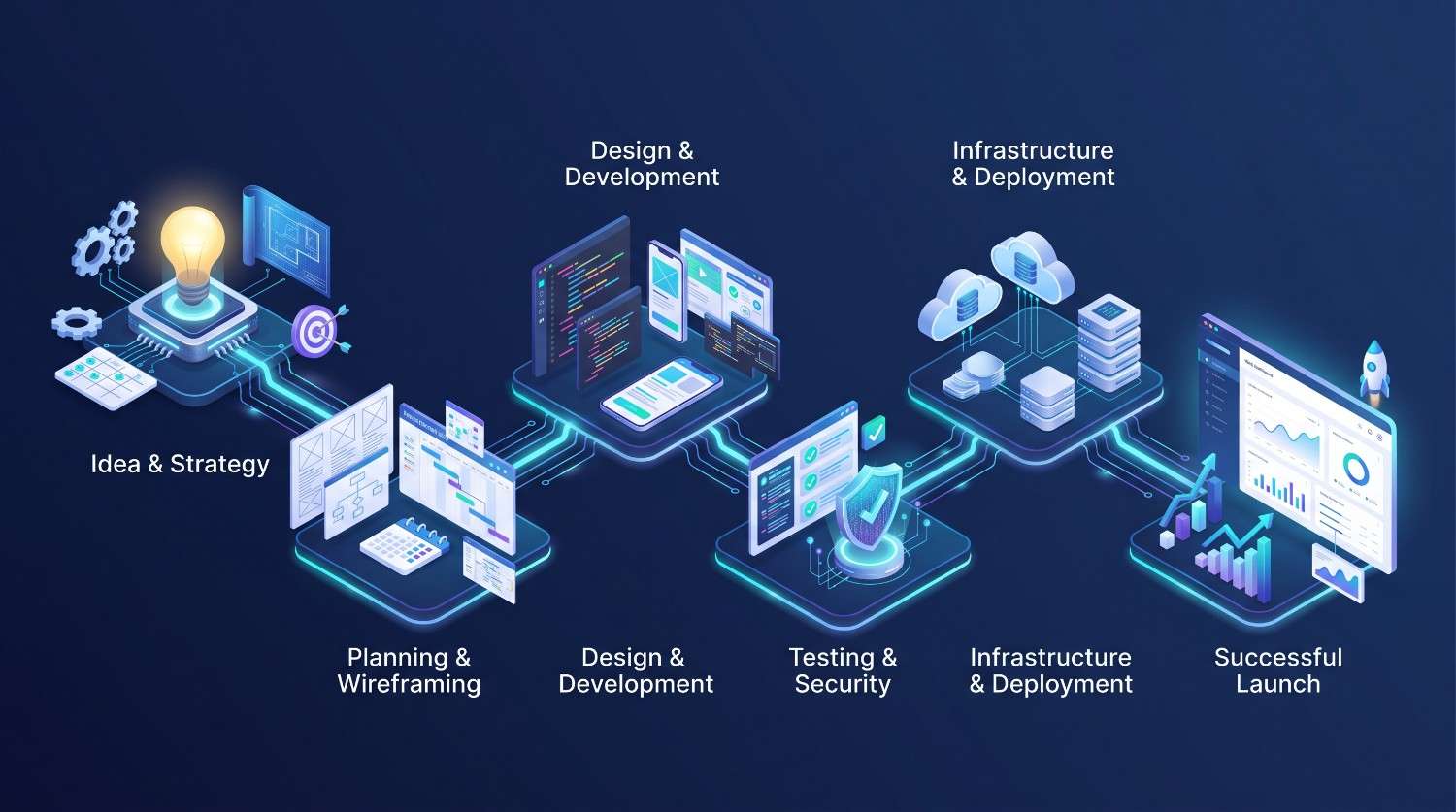
The SaaS app development process is a sequence of eight stages that takes a subscription software idea from customer validation to a live, maintained product. Most founders who struggle with it do not fail at coding. They skip a stage: they build before validating, add features before the core workflow works, or lock in architecture before they understand their customers.
This guide walks through each stage with a deliverable and a go/no-go gate, so you know what must be true before you spend on the next one. A hypothetical booking tool for independent fitness studios runs through every step as a worked example.
What Is the SaaS App Development Process? (Quick Answer)
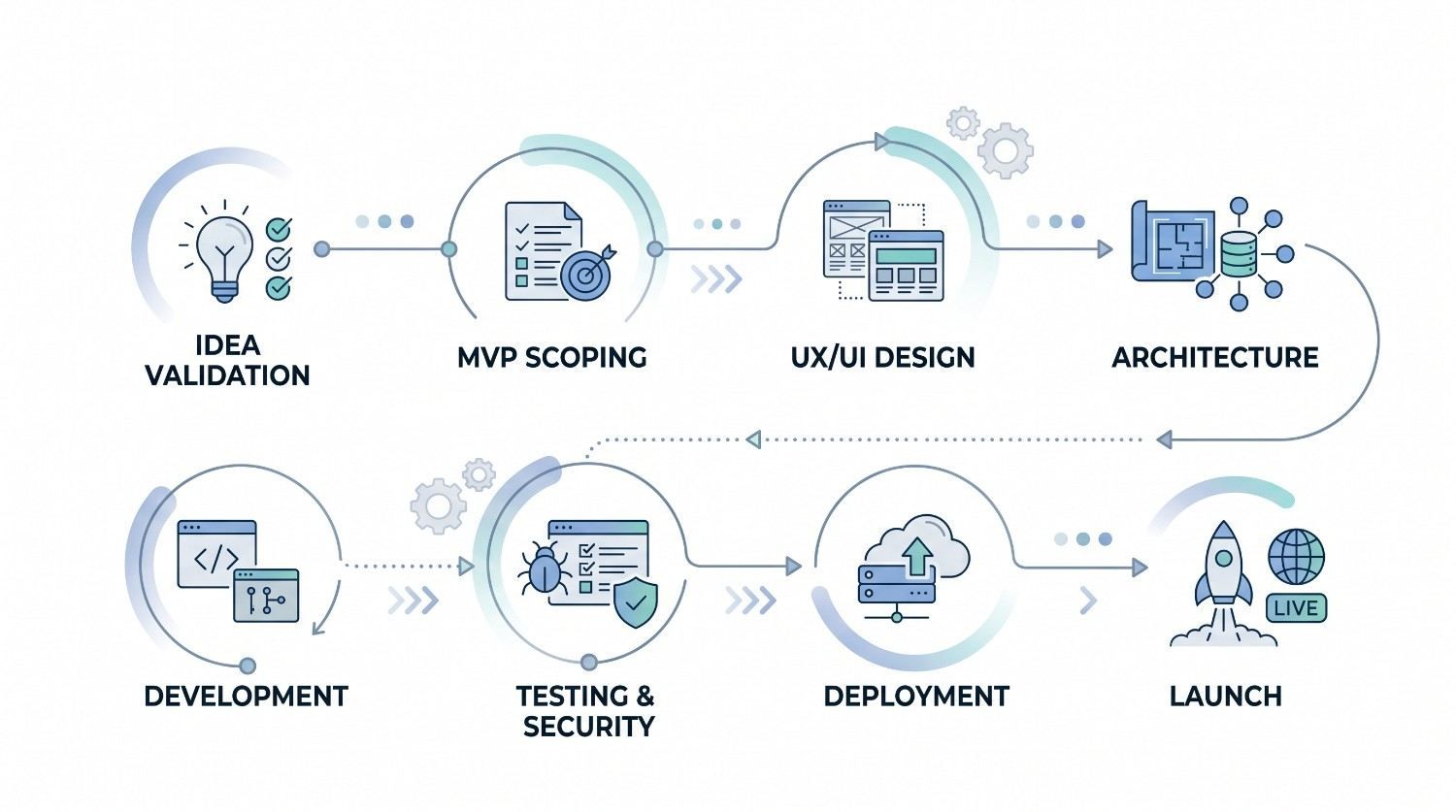 The SaaS development process moves from idea validation to launch through eight structured stages.
Definition: The SaaS app development process is a staged workflow that turns a validated product idea into a cloud-hosted application sold by subscription. It covers validation, MVP scoping, design, architecture, build, testing, deployment, and post-launch iteration, with each stage producing a deliverable the next stage depends on.
The SaaS app development process moves through eight stages: validate the idea, scope the MVP, design the experience, choose the architecture, build the core product, test and secure it, deploy with CI/CD, and launch and iterate using real usage data. Each stage ends with a gate that decides whether work continues.
Stage | Key output | Gate to pass | Planning duration* | |
1 | Validate | Interview notes, ICP, demand signal | Enough buyers commit money, a pilot, or a waitlist signup | 2–4 weeks |
2 | Scope the MVP | PRD, prioritized backlog | One core workflow defined; Must-have list fits the budget | 1–2 weeks |
3 | Design | Clickable prototype | Target users finish the main task unaided | 2–4 weeks |
4 | Architect | Stack and tenancy decisions | Data model, hosting, and isolation approach approved | 1–2 weeks |
5 | Build | Working release in staging | Core workflow, authentication, and billing run end to end | 8–16 weeks |
6 | Test and secure | Test suite, security review | No open critical defects; access controls verified | 2–4 weeks |
7 | Deploy | Production pipeline, monitoring | Rollback tested; soft-launch checklist passed | 1–2 weeks |
8 | Launch and iterate | Public release, analytics | Activation and retention tracked weekly | Ongoing |
*Planning assumptions for a focused MVP built by a small team with stages running mostly in sequence. They are not industry benchmarks. The stages above add up to roughly four to eight months, and scope, team size, and integrations can move that total considerably.
One mistake teams often make is fixing the architecture before the MVP scope is final. When the scope shifts, which it usually does after design testing, the data model and hosting choices need rework. The gates exist to keep decisions in the right order.
Step 1: Validate the Idea Before You Hire Developers
 Customer interviews and early demand tests help founders validate a SaaS idea before investing in development.
A SaaS idea is validated when real prospects confirm the problem, describe how they solve it today, and commit something: money, a pilot, or a waitlist signup. Common methods are problem interviews, competitor analysis, landing page tests, and pre-sales.
Validation costs weeks. Building the wrong product costs months. Post-mortem analyses of failed startups, including those published by CB Insights, repeatedly rank lack of market need among the top reasons companies fail.
Methods, in the order most teams use them:
Problem interviews. Talk to people in your ideal customer profile (ICP), defined by role, company size, industry, and the event that makes them look for a solution. Ask about past behavior, not future intent.
Competitor and alternative analysis. List direct competitors, spreadsheets, agencies, and manual workarounds. A crowded market often signals demand. An empty one needs an explanation.
Landing page or waitlist test. Describe the outcome, state the pricing direction, and measure signups from a defined audience.
Pre-sales or paid pilots. A deposit or signed pilot is stronger evidence than a compliment.
In the booking-tool example, the founder interviews independent studio owners about no-shows and double bookings, then tests a landing page offering to cut manual scheduling.
Go/no-go checklist. Set the thresholds before you start; they are your own criteria, not industry rules:
Number of interviews completed within one ICP segment
Number of prospects who describe the same problem without prompting
Number of prospects who commit money, a pilot, or a signup
A clear answer to why they would switch from their current workaround
A common mistake is asking, “Would you use this?” People answer politely. Ask when they last had the problem and what they did about it. A weak result should send you back to discovery, not forward to design.
Step 2: Define Your MVP Scope and Requirements
 A clearly scoped MVP prioritizes the core workflow and postpones features that lack proven demand.
A SaaS MVP typically includes one core workflow, user authentication, subscription billing, a basic admin view, and one key integration. Everything else, such as advanced analytics, enterprise single sign-on, and white-labeling, can wait until real users show they need it.
The terms are often mixed up. A prototype tests an idea with non-production screens. An MVP is a working, sellable product with the smallest feature set that delivers the core outcome. A full product adds depth after usage data arrives.
A product requirements document (PRD) records the problem, target users, in-scope features, explicit non-goals, and user stories with acceptance criteria. A user story for the example: “As a studio owner, I want to cancel a class and notify booked clients, so I avoid no-shows.” Acceptance criteria: all booked clients receive a cancellation email, and the class disappears from the booking page.
MoSCoW prioritization (Must, Should, Could, Won't) sorts the backlog into buckets:
Bucket | Features (booking-tool example) | Reason |
Must | Class scheduling, studio owner login, client booking page, subscription billing | Delivers the core outcome and revenue |
Should | Email reminders, simple reporting, calendar sync | Reduces no-shows; add soon after launch |
Later | Multi-location support, white-label branding, enterprise SSO, advanced analytics | Needs proof of demand first |
Whether billing belongs in the MVP depends on validation. If early customers signed pilots or prepaid, manual invoicing can work for the first few accounts, and automated billing can move to the next sprint.
Step 3: Design the UX/UI and Prototype
UX/UI design for a SaaS app produces user flows, wireframes, and a clickable prototype that target users test before engineers write production code. Changing a prototype is typically far cheaper than changing built software, which is why design comes before architecture is locked.
Deliverables to expect from this stage:
User flows for the core workflow and for sign-up
Low-fidelity wireframes, then a clickable prototype
Designs for onboarding and empty states
Notes from usability tests with a handful of target users
Design the onboarding flow and empty states first. A new account with no data is the first screen every customer sees, and activation depends on whether the customer reaches value from it. Teams often polish dashboards while the first-run experience stays blank.
Step 4: Choose Your Architecture and Tech Stack
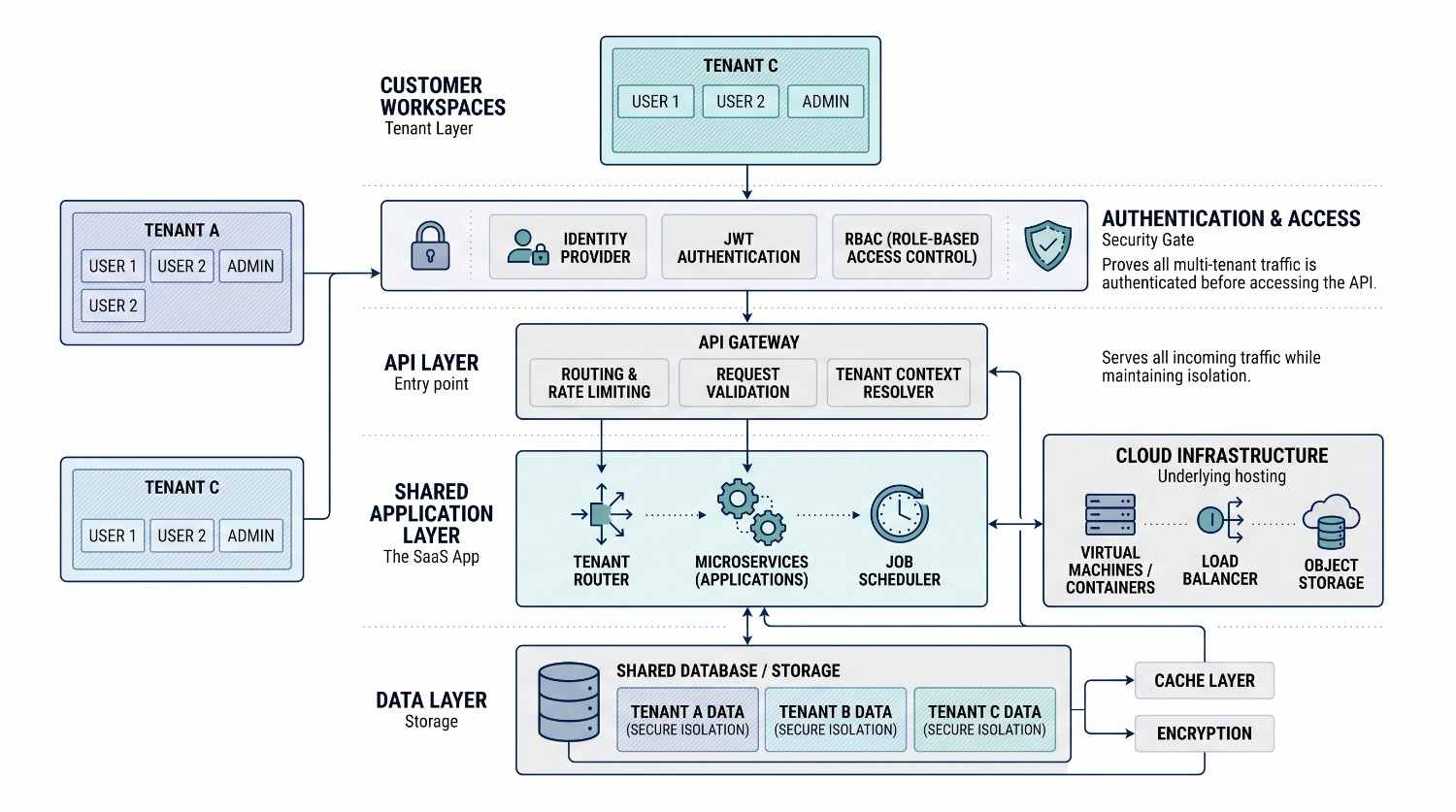 SaaS architecture must balance scalability, operating costs, access control, and tenant data isolation.
Multi-tenant architecture in SaaS means a single application instance serves many customers, called tenants, while keeping each tenant's data logically isolated. It lowers hosting cost per customer and simplifies updates, but it requires deliberate tenant isolation, access control, and data partitioning.
The AWS Well-Architected SaaS Lens describes three common isolation models: pool (shared tables with a tenant identifier), bridge (a schema per tenant), and silo (a separate database or stack per tenant). Role-based access control (RBAC) then decides what each user inside a tenant may do. The chain runs in order: tenancy model, isolation, RBAC, database design, encryption, and compliance readiness.
Scenario | Suggested approach | Trade-off |
Many small B2B tenants | Pool model with tenant ID on every table; PostgreSQL row-level security | Lowest cost; needs strict query scoping and tests |
Few large customers with strict isolation needs | Silo model, database per tenant | Strongest isolation; higher operating cost |
Mixed customer sizes | Bridge model, schema per tenant | Middle ground; migrations take more care |
Early MVP, small team | Modular monolith | Simpler to build and deploy; split later if needed |
Data residency requirements | Region-specific deployments | Compliance fit; more infrastructure to run |
One common stack is React or Next.js on the frontend, Node.js on the backend, and PostgreSQL for data, hosted on AWS, Microsoft Azure, or Google Cloud. It is one option, not the answer. Team expertise and hiring availability should drive the choice more than trends.
Microservices are usually premature for an MVP. They add deployment, monitoring, and networking overhead that a small team rarely needs before it has proven demand. A modular monolith with clear internal boundaries keeps the option open.
Step 5: Build the Core Product (APIs, Auth, and Subscription Billing)
Building the core product means turning the prioritized backlog into working software in short sprints, starting with the pieces everything else depends on. The practical order follows the dependencies:
Tenant-aware data model and API foundation. Every table carries a tenant identifier.
Authentication and authorization. Authentication confirms who the user is; authorization controls what the user may do, using RBAC.
The core workflow, thin version first, end-to-end.
Subscription billing and webhooks.
Third-party integrations through documented REST APIs.
Admin tools and usage instrumentation.
Adding subscription billing to a SaaS app means choosing a pricing model, integrating a payment provider such as Stripe, and handling lifecycle events: trials, upgrades, downgrades, proration, failed payments, and cancellations. Webhooks from the provider keep the app's subscription status in sync.
The pricing model comes first because billing logic follows from it. Freemium, tiered subscriptions, and usage-based pricing each need different data and metering. Pick the one that matches the value metric your buyer cares about.
Billing edge cases that founders often miss:
A trial that ends with no card on file
Mid-cycle upgrades and downgrades (proration)
Failed payments, retry schedules, and dunning emails
Cancellation versus pause, and what happens to the data
Tax and invoice requirements by country
Webhooks that arrive late or twice, which requires idempotent handlers
For founders in Bangladesh, payment provider availability needs early checking. Stripe's published list of supported countries has historically not included Bangladesh, so some founders incorporate abroad or use a merchant-of-record provider such as Paddle. Check Stripe's current country list at stripe.com/global and take legal and tax advice before choosing a structure.
Step 6: Test and Secure the Product
 Automated tests and security checks help catch defects before a SaaS application reaches production.
A SaaS app needs encryption in transit and at rest, strong authentication, role-based access control, tenant data isolation, tested backups, and protection against common web vulnerabilities such as those listed in the OWASP Top 10. Privacy obligations depend on where customers live.
Area | What to test | Why |
Unit and integration tests | Business logic, API responses | Catches regressions during every sprint |
Tenant isolation | A user in tenant A cannot read tenant B's data | The most damaging SaaS-specific failure |
Billing flows | Trials, upgrades, failed payments, cancellations | Revenue errors erode trust quickly |
Security review | OWASP Top 10 checks, dependency scanning | Finds known vulnerability classes |
Backups | A full restore from backup | An untested backup is an assumption |
Load | Peak concurrent users on the core workflow | Reveals bottlenecks before customers do |
Privacy rules by region (confirm with qualified legal counsel):
EU and UK: GDPR and UK GDPR, including data subject rights and breach notification
United States: No single federal privacy law; state laws such as California's CCPA apply, plus sector rules like HIPAA for health data
Canada: PIPEDA, alongside provincial laws
Australia: The Privacy Act 1988 and the Australian Privacy Principles
Bangladesh: Check current local data protection and payment rules
Step 7: Deploy with CI/CD and Cloud Infrastructure
Deployment for a SaaS app means shipping tested code to production through an automated continuous integration and continuous deployment (CI/CD) pipeline, with staging, monitoring, and a rollback path. Automation removes manual steps that cause outages.
A typical pipeline:
Developer merges code
Automated tests run
The application builds
The build deploys to staging
Smoke tests check the core workflow
The build is promoted to production, with rollback ready
Monitoring and alerts watch errors and performance
Keep staging and production configured the same way. This usually breaks when staging uses different environment variables or a smaller database, and bugs appear only after release.
Soft-launch gate: rollback tested, backups running, alerts reaching a real person, billing tested with live payment methods, and a status or support channel ready.
Step 8: Launch, Onboard, and Improve After Release
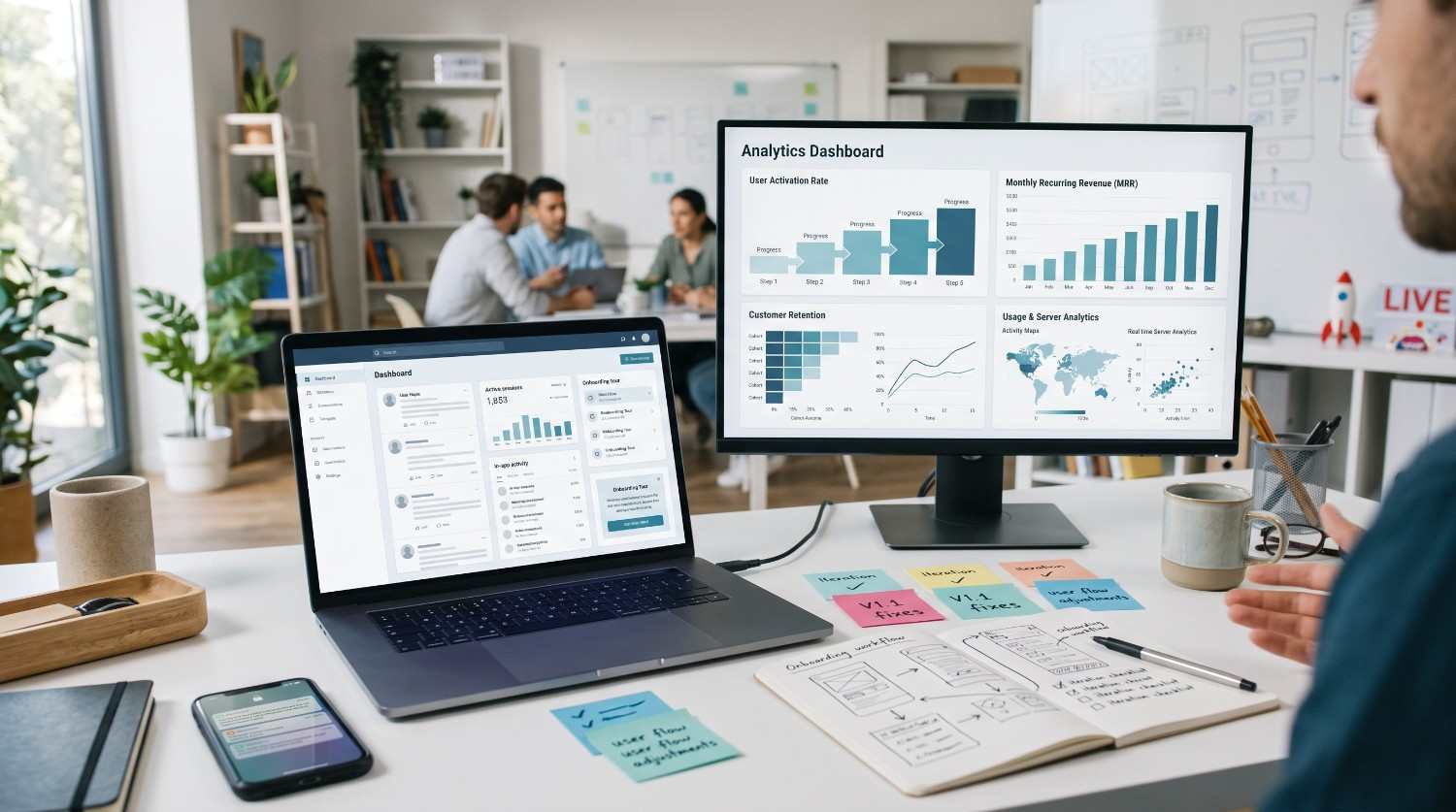 Post-launch analytics reveal how users adopt a SaaS product and which improvements deserve priority.
Launching a SaaS product means releasing first to a small beta group, fixing what real use exposes, then opening to the public with onboarding, analytics, and support in place. Launch starts the learning loop; it does not end the project.
Run a closed beta with the customers from validation.
Fix onboarding friction and the top usability issues.
Open public sign-up with a pricing page and support channel.
Instrument activation, retention, and churn from day one.
Feed findings into the roadmap each sprint.
What matters most here is checking the right metrics at the right time:
Timing | Metric | What it tells you |
First 30 days | Activation rate, time to first value | Whether onboarding works |
Days 31–60 | Retention by signup cohort, support themes | Whether the product keeps users |
Days 61–90 | Churn, MRR trend, features used by retained accounts | What to build next |
Churn benchmarks vary widely by market and customer size, so compare against your own cohorts first. Ongoing support, security patches, and scaling work continue after launch and belong in the budget.
How Long Does SaaS Development Take, and What Does It Cost?
A focused SaaS MVP typically takes roughly four to eight months from validation to launch for a small team, based on planning assumptions rather than a published benchmark. Scope, integrations, compliance needs, and team experience move that range more than any other factors.
Tier | Planning timeline (assumption) | Main cost drivers |
MVP | About 4–8 months | Core workflow, one integration, basic billing |
Standard | About 8–12 months | Multiple user roles, several integrations, reporting |
Advanced | 12+ months | Compliance, complex billing, scale, multi-region |
Cost drivers, roughly in order of impact: feature scope, integrations, compliance requirements, design complexity, and team seniority and location. Ongoing costs include cloud hosting, third-party services, monitoring, and maintenance.
A typical team includes a product owner, a designer, a few engineers, QA, and part-time DevOps. Hourly rates differ widely across the United States, the United Kingdom, and Bangladesh, and by seniority. Compare itemized estimates built on the same written scope instead of headline rates, because a lower rate with a longer timeline can cost the same.
Common SaaS Development Mistakes (and How to Avoid Them)
The most common SaaS development mistakes are building before validating, overloading the MVP, choosing a stack by hype, skipping tenant isolation, ignoring billing edge cases, deploying without monitoring, and having no post-launch plan.
Mistake (stage) | Why it happens | Fix |
Building before validating (Step 1) | Enthusiasm outruns evidence | Hold the validation gate before hiring |
Overloaded MVP (Step 2) | Every feature feels essential | Apply MoSCoW; cut to one core workflow |
Stack chosen by hype (Step 4) | Trend over team skills | Choose for team expertise and hiring pool |
Skipped tenant isolation (Step 4) | Looks like extra work early | Add tenant IDs and isolation tests from sprint one |
Missed billing edge cases (Step 5) | Happy path tested only | Test failed payments, proration, and cancellations |
No monitoring (Step 7) | Launch pressure | Add alerts and rollback to the go-live gate |
No post-launch plan (Step 8) | Project mindset | Budget for support, patches, and iteration |
Build In-House, Hire Freelancers, or Use a SaaS Development Company?
A SaaS development company fits teams that have a validated idea but lack in-house engineers or need to ship faster than hiring allows. In-house teams suit companies with an ongoing product roadmap and budget for long-term hiring, while freelancers fit small, well-defined tasks.
Option | Best for | Risks | Budget fit |
In-house team | Long-term product with continuous roadmap | Slow hiring; fixed salary cost | Higher commitment |
Freelancers | Defined tasks, prototypes | Coordination, continuity, uneven quality | Lower upfront |
SaaS development company | Validated MVP needing a full team quickly | Vendor fit, handover, scope disputes | Project-based |
No-code tools | Validation, internal tools | Limits on isolation, billing, scale | Lowest upfront |
When not to hire an agency: the idea is unvalidated, an existing tool already solves the problem, or the scope is a simple internal workflow that no-code handles. Building a prototype yourself first often makes a later agency brief sharper.
Questions to ask any vendor: how they decide on tenancy and architecture, how they run sprints and demos, who owns the code, how they handle security reviews, and what post-launch support covers. If delivery spans time zones, such as Bangladesh with US, UK, Canadian, or Australian customers, agree on overlap hours and support coverage up front.
Teams that want a delivery partner can review how Framecipher, a Dhaka-based digital marketing agency, approaches SaaS app development services.
Conclusion
Three takeaways. First, validate before you build, and treat each stage gate as a real decision point. Second, launch a narrow MVP that proves one core workflow, then add features from usage data. Third, decide architecture, security, and billing deliberately, because these are the hardest choices to change later.
Your next step: write down your ICP, your single core workflow, and your Must-have list.