
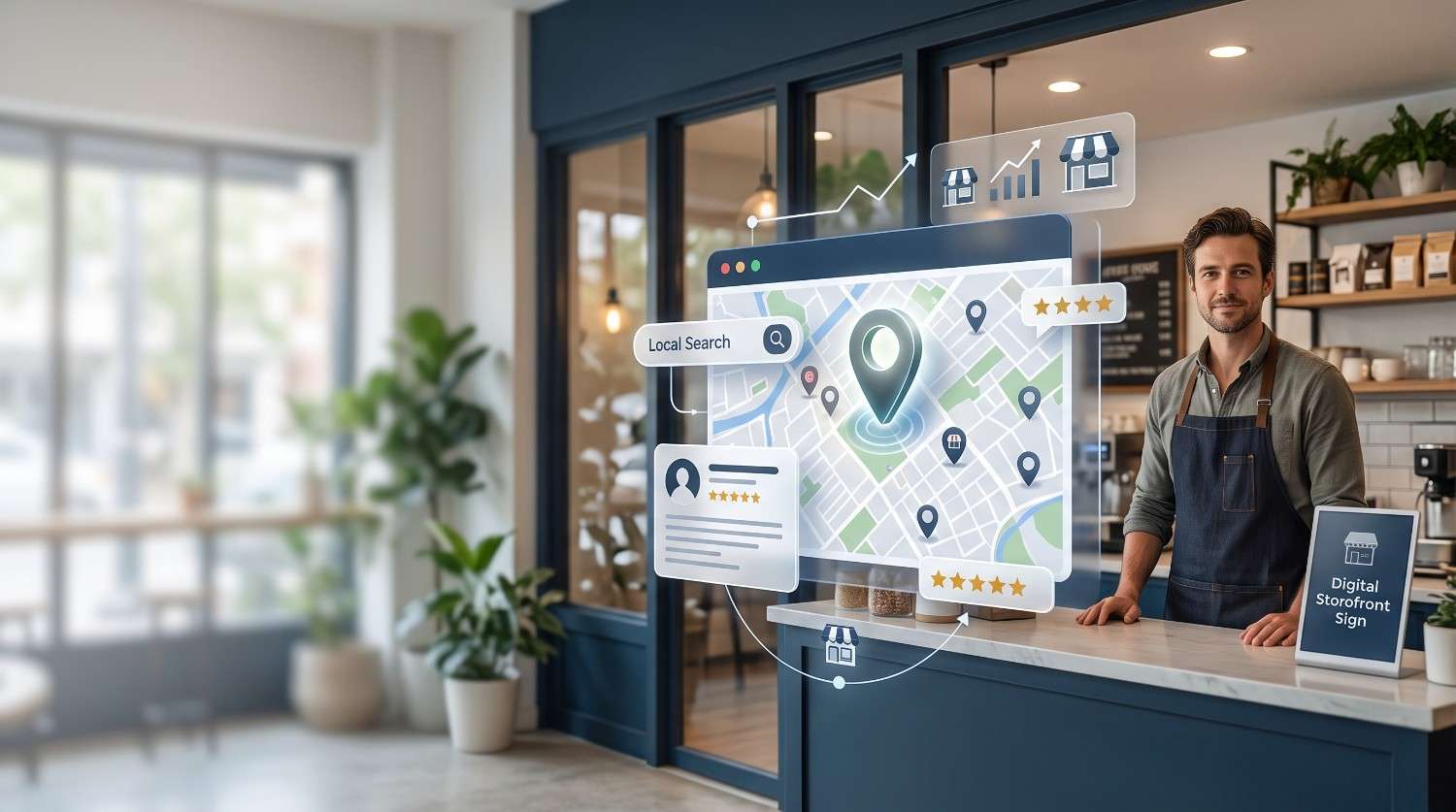
Local SEO for small businesses is the work of making a business appear when nearby customers search on Google Search and Google Maps. It starts with a verified Google Business Profile, accurate business details, local keywords, and genuine reviews, then adds measurement so you can see which actions produce calls and visits.
Picture someone searching 'plumber near me' with a burst pipe at 7 a.m. They often choose from the first few businesses on the map. A business missing from that list never gets the chance to compete.
This guide walks through five steps, written for owners in the United States, United Kingdom, Canada, Australia, and Bangladesh. It follows Google's own Business Profile and Search Central documentation, and it ends with a 30-day checklist.
What Is Local SEO and How Does It Work?
Definition: Local SEO. Local SEO is the practice of optimizing a business's online presence so it appears in location-based searches on Google Search and Google Maps. It combines a verified Google Business Profile, consistent business details, local keywords, reviews, and local links to attract customers searching for nearby products or services.
When a search carries local intent, such as 'dentist near me' or 'bakery in Dhaka', Google often shows a map with a short list of businesses, usually called the Local Pack, alongside standard web results. The searcher taps a listing, which opens the business in Google Maps, and then calls, requests directions, or visits the website. Each step depends on the one before it: local search intent triggers the Local Pack, the Local Pack draws on Business Profiles, and the profile determines what the customer can do next.
Proximity matters because Google compares where the searcher is, or the location named in the query, with where each business is. Two equally strong businesses will usually rank differently for people standing on opposite sides of a city.
Aspect | Local SEO | Traditional SEO |
Main goal | Appear in the Local Pack, Maps, and local organic results | Rank web pages for topics regardless of location |
Key asset | Google Business Profile plus website | Website pages |
Role of location | Searcher location and business proximity affect results | Location usually matters less |
Typical success metric | Calls, direction requests, visits | Organic sessions, rankings |
Main trust signals | Reviews, NAP consistency, citations | Backlinks, content depth |
One mistake people often make is treating local SEO as a website-only project. A well-built site with no verified Business Profile typically misses the Local Pack, because the pack lists profiles, not web pages.
How Google Ranks Local Businesses
Quick answer: Google ranks local businesses using three factors: relevance, distance, and prominence. Relevance measures how well a profile matches the search, distance measures how far the business is from the searcher or the location named in the query, and prominence reflects how well known the business is across the web.
According to Google's Business Profile Help documentation, these three factors are combined to produce local results, and standard SEO best practices also apply to local ranking. The practical value is knowing which factor you can influence.
Factor | What Google looks at | Your control | Action |
Relevance | How well the profile and website match the search | High | Choose accurate categories, list services, write a clear description, align website content |
Distance | Searcher location compared with the business location | Low | Keep the address accurate and service areas honest |
Prominence | Information from across the web, including reviews, links, articles, and directories | Medium | Earn reviews, fix citations, build local links |
A common issue is trying to change distance, for example by moving the map pin or listing a fake address. This violates Google's guidelines and risks suspension. A better way to think about it is that in dense areas a nearby competitor may win on distance alone, so the realistic response is to compete on relevance and prominence, and to target more specific queries where fewer businesses are competing.
Step 1: Claim and Optimize Your Google Business Profile
Quick answer: To rank higher on Google Maps, claim and verify a Google Business Profile, choose the most accurate primary category, complete every field, keep name, address, and phone details consistent across the web, and earn genuine customer reviews. Relevance, distance, and prominence determine position, so the first three actions are within a beginner's control.
Work through the profile in this order:
Search before creating. Look up your business name in Google Maps. If a profile already exists, claim it instead of creating a second one, since duplicates split reviews and signals.
Verify. Google offers several verification methods, and which ones appear depends on the business type and location. An unverified profile typically cannot manage reviews or appear reliably in local results.
Choose the primary category. Search your main service, open the top-ranked profiles, and note the primary category each uses. Pick the one that matches your main revenue service most specifically. Google allows additional categories, up to nine, but adding broad ones dilutes relevance.
Use the real business name. Google's guidelines require the name to match how the business appears in the real world. Adding keywords such as a city or service to the name can lead to suspension.
Write the description. Google allows up to 750 characters. Describe what you do, who you serve, and where, in plain language, without links or keyword lists.
Add services, hours, photos, and attributes. Include holiday hours, list each service, and upload real photos of the premises, team, and work.
Use posts and Q&A. Posts and questions help customers, though they usually matter less than the fields above.
Google does not publish how much weight each field carries, so the table below reflects typical impact, not official weighting.
Priority | Field | Why it matters |
High | Primary category | Sets relevance for the searches you can appear in |
High | Name, address, phone, website | Defines the business and must match the website |
High | Hours and services | Prevents wasted visits and supports relevance |
Medium | Description, photos, attributes | Helps customers choose and adds context |
Lower | Posts and Q&A | Useful for engagement, less likely to change rankings |
Local note: Address formats differ by country. US addresses end with a city, state, and ZIP code. UK addresses use a postcode, Canadian addresses use a letter-number postal code, and Australian addresses use a state and four-digit postcode. In Bangladesh, addresses often rely on house, road, block, and area names, sometimes with a landmark. Whatever the format, copy it exactly as it appears on the website and every other listing. Verification options also vary by country, so confirm what Google offers for your location.
Step 2: Do Local Keyword Research and Build Location-Aware Pages
Quick answer: Local keyword research means combining a service, a location, and an intent modifier, such as 'emergency plumber Leeds' or 'graphic designer Dhaka', then validating demand with Google Keyword Planner, Google Trends, and Search Console. The best targets match what customers actually type, not how the business describes itself.
Follow this process:
List services and areas. Write every service you sell and every town, neighborhood, or region you serve.
Combine them into patterns. The common patterns are service plus city, service plus neighborhood, and specialty plus city.
Treat 'near me' differently. Google decides 'near me' results mainly from the searcher's location, so repeating the phrase on a page rarely helps. Clear address details and defined service areas do more.
Validate demand. Google Keyword Planner shows search volume ranges and requires a Google Ads account. Google Trends compares interest across regions and over time. Search Console shows queries your site already receives.
Map each keyword to one page. The home page, a service page, or an area page should each own a distinct set of terms.
Apply the terms on the page. Use them in the title tag, H1, opening paragraph, image alt text, and a short section about the area served. Put the full name, address, and phone number in the footer or a contact block.
Business type | Pattern | Example | Best page |
Storefront café | Service plus neighborhood | specialty coffee Fitzroy | Home or location page |
Service-area plumber | Service plus city | emergency plumber Leeds | Service page |
Clinic | Specialty plus city | pediatric dentist Calgary | Service page |
Home-based freelancer | Service plus region | graphic designer Dhaka | Home or services page |
The practical difference between a useful location page and a thin one is whether it would still read the same after the city name is swapped. Google's spam policies treat pages created mainly to capture similar searches as doorway pages. For a single-location business, one 'areas we serve' section plus one page per main service is typically enough. Create a separate area page only when it holds distinct content, such as local examples, a team that works there, or details that differ from other areas.
Step 3: Fix Your NAP and Build Local Citations
Quick answer: NAP consistency means a business's name, address, and phone number appear identically on its website, Google Business Profile, and every directory listing. Consistent details help search engines match listings to one business and reduce the risk of duplicate listings splitting reviews and ranking signals across several profiles.
A local citation is any online mention of a business's name, address, and phone number, usually in a directory or platform. The chain works like this: consistent NAP makes citations trustworthy, trustworthy citations feed prominence, and prominence supports Maps rankings.
Write the canonical NAP. Record the exact name, address format, primary phone number with country code, and website URL in one document.
Audit. Search for your business name, old addresses, and old phone numbers. A tool such as BrightLocal can speed this up, and manual searching works too. In most cases, a wrong phone number or an old address causes more trouble than a minor abbreviation such as 'St.' versus 'Street'.
Fix core platforms first. Start with Google Business Profile, Bing Places, Apple Business Connect, and your Facebook page.
Add relevant directories. Choose national directories and industry-specific ones that match your category.
Resolve duplicates. Google's Business Profile Help describes how to report duplicate or incorrect listings.
Country | Examples to check first | Note |
United States | Bing Places, Apple Business Connect, Yelp, Facebook | Directory strength varies by industry |
United Kingdom | Bing Places, Apple Business Connect, Yell, trade-specific directories | Trade and professional bodies often matter more than general directories |
Canada | Bing Places, Apple Business Connect, Yellow Pages Canada, Facebook | Keep the business name in one consistent language form |
Australia | Bing Places, Apple Business Connect, Yellow Pages Australia, True Local, Hotfrog | Use state and postcode consistently |
Bangladesh | Google Maps listing, Facebook business page, local directories that already rank for your category | Keep the address style identical everywhere |
Directory popularity changes, so confirm a directory is still active before submitting.
A citation priority approach avoids wasted effort: core platforms first, niche directories second, and low-quality directories skipped. Paid packages that push your details to hundreds of unknown sites rarely justify the cost, and they can create inconsistent listings that are hard to clean up later.
Step 4: Earn and Manage Customer Reviews
Quick answer: To get more Google reviews, ask satisfied customers shortly after a positive experience, give them a direct link or QR code to the review form, and respond to every review. Google's policies prohibit offering incentives for reviews and selectively requesting reviews only from happy customers, so requests should go to all customers.
Google states that review count and score factor into local ranking, so reviews connect directly to prominence, and prominence connects to Maps position and click-through.
Ask-timing framework. Ask at the moment the customer can see the value delivered: after a repair is completed and checked, after a haircut when the customer says thanks, or after a project handover. This typically produces better responses than a request weeks later. Use the channel customers already use with you, such as SMS, WhatsApp, email, or a QR code on a receipt or counter card. The direct review link is available from your Business Profile's share options.
Response templates
Positive review: Thank you, [Name]. We're glad the [specific service] went well. We look forward to seeing you again.
Negative review: Thank you for telling us, [Name]. We're sorry the [specific issue] fell short. Please contact us at [phone or email] so we can look into it and put it right.
Keep replies short, specific, and free of personal details. Avoid arguing in public, since the reply is read by future customers as much as by the reviewer.
A common issue is review gating, which means sending happy customers to Google and unhappy ones to a private form. Google's policies prohibit it. Fake reviews, paid reviews, and reviews from staff or family also violate policy and can lead to removal or suspension. Ask everyone, accept the mix, and respond to all of it.
Step 5: Build Local Authority with Links and Mentions
Quick answer: Small businesses build local links by earning mentions from organizations that already know them: chambers of commerce, sponsored teams or events, supplier and partner sites, local news, and community blogs. A handful of relevant local links typically outweighs dozens of unrelated directory or paid links.
Local links lead to authority, and authority supports prominence. Five low-cost ways to earn them:
Join a local business association or chamber of commerce and make sure the member listing links to your site.
Sponsor a local team, event, or charity that publishes sponsors on its own website.
Ask suppliers and partners to list you on their 'where to buy' or 'approved installers' pages.
Share genuinely newsworthy updates with local news outlets, such as an opening, a community project, or a useful local finding.
Publish something locally useful, such as a seasonal checklist for homeowners in your area, that schools, councils, or community groups may reference.
What to avoid: paid link packages, large-scale link exchanges, and offers of 'hundreds of local backlinks'. Google's spam policies cover link schemes, and low-quality links add risk without adding trust. The tradeoff is time. Local links accumulate slowly, so they work best as a steady monthly habit.
Storefront vs Service-Area Business: What Changes?
Quick answer: Service-area businesses serve customers at the customer's location rather than at a public premises, so they typically hide their street address on Google Business Profile and define service areas instead. Storefront businesses display their address because customers visit in person during staffed business hours.
The decision comes down to three questions:
Do customers visit your address during stated hours? If yes, you are a storefront and the address is shown.
Do you travel to customers and receive no visitors? If yes, you are a service-area business and the address is hidden.
Do both happen? Then you are a hybrid, which shows the address and also lists service areas.
In practice, a café is a storefront. A plumber is a service-area business. A home-based freelancer who works online or at client sites is also typically a service-area business, with the home address kept private. A clinic that sees patients on site is a storefront, and becomes a hybrid if it also makes home visits.
Setup item | Storefront | Service-area business |
Address on profile | Shown | Hidden when no customers visit |
Service areas | Optional | Required, and Google limits how many can be listed |
Website pages | Location page plus service pages | Service pages, with area pages only where content is distinct |
Distance in rankings | Based on the visible address | In most cases still based on the verified location, even though it is hidden |
Verification | At the premises | At the business address, which can be harder for home-based businesses |
A common mistake is listing a PO box or virtual office as a storefront. Google's guidelines do not allow it. The tradeoff for service-area businesses is reach: ranking far from the base location is difficult, so a realistic service area works better than a very large one.
Mobile Experience and Local Schema Markup
Quick answer: LocalBusiness schema is structured data from the Schema.org vocabulary that describes a business's name, address, phone number, hours, and location in a format search engines can read. Google's documentation treats it as markup that can help Google understand business details on a page.
Most local searches happen on phones, and Google uses the mobile version of a site for indexing. Mobile problems usually cost leads before rankings, so check these points:
Tappable phone number. Use a tel: link, not plain text or an image.
Text, not images. Keep address, hours, and prices as text.
Fast loading. Google's Core Web Vitals guidance treats a Largest Contentful Paint of 2.5 seconds or less as good.
No blocking popups. This usually breaks when a banner covers the call button.
Minimal schema checklist (no code needed at this stage):
Use the most specific type available, such as Dentist or Plumber, instead of the generic LocalBusiness.
Include name, address, telephone, URL, opening hours, and geographic coordinates.
Add the logo or an image, and sameAs links to your Business Profile and social profiles.
Add areaServed if you are a service-area business.
Match every detail to what is visible on the page and what appears on Google Business Profile.
Validate with Google's Rich Results Test or the Schema Markup Validator. One mistake people often make is marking up reviews the business wrote about itself. Google's guidelines do not allow self-serving reviews in LocalBusiness markup.
How to Measure Local SEO Results
Quick answer: Local SEO success is measured with calls, direction requests, website clicks, Google Business Profile views, review count and rating, local keyword rankings, and leads or sales from the website. Business Profile Performance, Search Console, and Google Analytics 4 report most of these at no cost, and rank-tracking tools cover local positions.
Measurement works only if the baseline is recorded before changes begin. Note this month's calls, direction requests, website clicks, review count, and Search Console impressions before touching the profile.
The connection runs from Search Console impressions to GA4 key events to revenue. Each metric below maps to one business outcome.
Metric | Where to find it | What it tells you |
Calls | Business Profile Performance, plus a tracking number if used | Whether the profile produces phone leads |
Direction requests | Business Profile Performance | Intent to visit, most relevant for storefronts |
Website clicks | Business Profile Performance, GA4 | How much profile traffic reaches the site |
Profile views and search terms | Business Profile Performance | Visibility and which queries surface the profile |
Local queries and impressions | Search Console, filtered by city or service terms | Organic visibility for local terms |
Key events | GA4 | Form submissions and phone-link clicks that count as leads |
Review count and rating | Business Profile | Reputation and prominence |
Local rank positions | BrightLocal or similar tools | Position by location, usually a paid feature |
Two practical details help. First, add UTM parameters to the website link on your profile so GA4 can separate profile visits from other traffic. Second, if you use call tracking, add the tracking number as an additional phone number and keep the main number as primary, so the NAP stays consistent.
A common issue is tracking rankings alone. Rankings vary by the searcher's location, and a position on its own does not show whether anyone called. Set a monthly routine: record the metrics, compare with the previous month and the same month last year to account for seasonality, and log what you changed.
Common Local SEO Mistakes (and How to Fix Them)
Quick answer: The most common local SEO mistakes are adding keywords to the business name, choosing inaccurate categories, leaving duplicate listings, buying or gating reviews, using one thin page for every city, and ignoring reviews. Each one weakens relevance or prominence, and most can be fixed without paid tools.
Mistake | Why it hurts | Fix | How to spot it |
Keyword-stuffed business name | Violates Google's guidelines and risks suspension | Use the real-world name | Compare the profile name with signage and invoices |
Wrong or vague primary category | Weakens relevance | Choose the most specific category for your main service | Compare with top-ranked competitors |
Duplicate listings | Splits reviews and ranking signals | Claim, merge, or report duplicates | Search the name, phone, and old addresses |
Fake, paid, or gated reviews | Policy violation, removal, loss of trust | Ask all customers, offer no incentives | Sudden review bursts or repeated phrasing |
One thin page for every city | Can be treated as doorway content | Create area pages only with distinct content | Page reads the same after swapping the city |
Ignoring reviews | Misses a trust and engagement signal | Reply to every review | Count unanswered reviews |
PO box or virtual office address | Ineligible under Google's guidelines | Use a real address or set up as a service-area business | Profile suspension or verification failure |
Your 30-Day Local SEO Checklist
Quick answer: Beginners should start local SEO by claiming and verifying the Google Business Profile, then correcting name, address, and phone details, adding the right categories, and requesting reviews. These tasks cost nothing, apply to every business type, and form the base that website work, citations, and links build on.
Record the baseline numbers before Week 1. Then work through the tasks in order. The table ranks them by effort and impact so the high-impact, low-effort tasks come first.
Week | Task | Tool | Effort | Impact |
1 | Claim and verify the profile | Google Business Profile | Low | High |
1 | Set primary and additional categories | Google Business Profile | Low | High |
1 | Write the canonical NAP and audit existing listings | Spreadsheet, manual search | Medium | High |
1 | Complete hours, services, description, photos | Google Business Profile | Medium | Medium |
2 | Update title tags, headings, and footer NAP | Website CMS | Medium | High |
2 | Build service and area pages with distinct content | Website CMS | High | Medium |
2 | Add schema and run a mobile check | Rich Results Test | Medium | Medium |
3 | Start review requests and reply templates | Review link, QR code | Low | High |
3 | Fix core citations | Bing Places, Apple Business Connect, Facebook | Medium | Medium |
3 | Pursue two local link opportunities | Outreach | Medium | Medium |
4 | Compare results with the baseline and set the monthly routine | Performance report, Search Console, GA4 | Low | Medium |
Tool | Best for | Free tier? | Beginner-friendly? |
Google Business Profile | Managing the profile and viewing performance | Yes | Yes |
Google Search Console | Queries, impressions, indexing | Yes | Moderate |
Google Analytics 4 | Traffic and key events | Yes | Moderate |
Google Keyword Planner | Search volume ranges | Needs a Google Ads account | Moderate |
Google Trends | Regional and seasonal interest | Yes | Yes |
BrightLocal | Local rankings, citations, reputation | Paid, trial availability varies | Moderate |
Semrush | Competitor and local research | Limited free use, paid for full access | Moderate to advanced |
Plans and free tiers change, so check current pricing before subscribing.
Is local SEO free? Local SEO is free to start: claiming a Google Business Profile, completing it, requesting reviews, and using Search Console and Google Analytics 4 cost nothing. Paid costs typically come from rank-tracking tools, citation services, advertising, or hiring an agency, and none are required for the core setup.
Google publishes no official timeline for ranking changes. Profile edits can appear within days, but movement against established competitors typically takes weeks to months, and results vary by competition, category, and location. Nobody can promise a specific position.
A note on what to skip: paid directory blasts, daily posting for its own sake, and chasing rankings for areas outside your real service area.
Conclusion
Local SEO for small businesses comes down to a short list of steady habits, done in the right order. Three takeaways matter most:
Start with a verified, fully completed Google Business Profile. Every other step builds on it.
Keep business details consistent and earn reviews steadily. Consistent NAP and genuine reviews support prominence over time.
Measure calls and direction requests, not just rankings. Visibility only matters when it produces customers.