
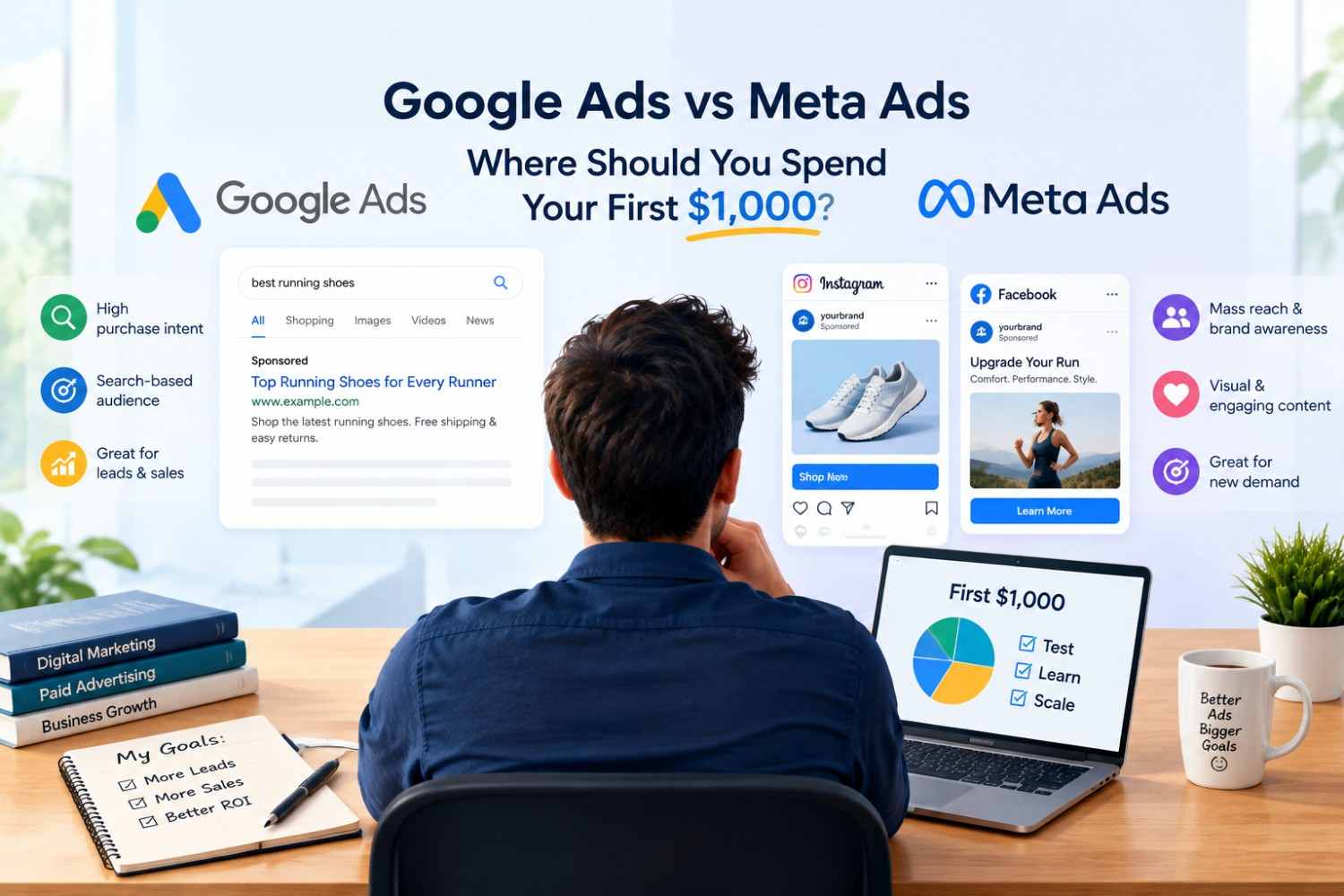
Not sure whether your first $1,000 belongs with Google or Meta? It depends on whether people already search for what you sell. If they do, Google Ads usually wins the first test. If you need to create demand, or your product is visual and easy to buy on impulse, Meta Ads usually does. That is the core of the Google Ads vs Meta Ads decision, and $1,000 can fund one focused test, not a fair trial of both.
This guide shows how to choose, what to track before spending, and how to phase the money over several weeks. It comes from Framecipher, a Dhaka-based digital marketing agency that manages paid campaigns on both platforms, and it makes no promises about results because every account, offer, and market behaves differently.
Google Ads vs Meta Ads: The Short Answer
Google Ads is usually the better first $1,000 for businesses whose customers already search for the product or service, because it captures existing purchase intent. Meta Ads is usually better for businesses that must create demand, such as new brands or visual products, because it reaches people before they start searching.
For small businesses specifically, the deciding factor is demand that already exists. A local repair shop, plumber, or accountant typically has customers typing the service into Google every day. A new skincare brand or a mobile app typically has no such searches to capture, so it needs an audience-based platform to build awareness first.
In short:
Google Ads fits when people already search for what you sell.
Meta Ads fits when you need to create demand or sell something visual.
A split fits only when tracking works on both platforms, and each has enough budget to produce meaningful data.
Factor | Google Ads | Meta Ads |
Customer mindset | Actively searching | Browsing or scrolling |
Best for | Capturing existing demand | Creating new demand |
Typical first goal | Leads and sales | Awareness, leads, retargeting |
Creative effort | Low to moderate (text-led for Search) | High (images and video) |
Setup dependency | Landing page and conversion tracking | Creative, Meta Pixel, and Conversions API |
Definition: Google Ads is Google's advertising platform, mainly pay-per-click, showing ads on Google Search, YouTube, and partner sites. Meta Ads is the advertising platform for Facebook, Instagram, Messenger, and other Meta placements, managed in Meta Ads Manager. People often search for it as Facebook Ads or Instagram Ads.
One practical framing helps: treat the first $1,000 as a learning budget. Its job is to show which platform, offer, and landing page produce a trackable result, not to deliver a profit on day one.
User Intent: Why Search Ads and Social Ads Convert Differently
Google Ads converts differently than Meta Ads because it reaches people who are actively searching, while Meta Ads interrupts people who are browsing. Searchers typically arrive with a specific need and sit closer to a decision. Social audiences usually need more exposure before they act, which changes lead readiness and cost.
The practical difference is funnel position. Google Search sits near the bottom of the funnel, where a click often follows a stated need such as “emergency plumber near me.” Meta sits higher, where a person sees an ad while doing something else and has to be interested before they act.
Factor | Google Search | Meta Ads |
How the person arrives | Types a query with a need | Sees an ad while scrolling |
Funnel stage | Mid to bottom | Top to mid, plus retargeting |
Typical first conversion | Call, quote request, purchase | Lead form, add to cart, follow-up engagement |
What usually limits results | Landing page and offer | Creative and audience fit |
The 2026 WordStream by LocaliQ benchmarks put the average Google Ads Search conversion rate at 8.18%, based on US search campaigns from April 2025 through March 2026. For Facebook lead campaigns, the same benchmark series reports an 8.54% conversion rate. The two numbers look almost identical, but they measure different actions. A form completed inside Facebook is a lighter commitment than a form completed after a search click, so equal rates do not mean equal lead quality.
One mistake people often make is comparing platforms on cost per lead alone. The same $1,000 can produce more Meta leads and fewer sales-ready conversations, or the reverse. This usually breaks when the sales team calls Meta leads and finds many were not yet ready to buy.
A better way to think about it: Google often needs a strong landing page because the visitor already wants something. Meta often needs retargeting because most first-time viewers are not ready to act.
Targeting Compared: Keywords vs Audiences
Google Ads targets by what people search, using keywords and search intent, while Meta Ads targets by who people are, using interests, behaviors, demographics, and past website activity. Keywords signal a need right now. Audience signals suggest a likely interest, which makes Meta better for reach and Google better for immediacy.
Factor | Google Ads | Meta Ads |
Main signal | Keywords and search queries | Interests, behaviors, demographics, site visitors |
Who sees the ad | People searching now | People browsing Facebook or Instagram |
Control levers | Match types, negative keywords, location, schedule | Audience definitions, placements, creative |
Scale | Limited by search volume | Larger reach, limited by audience size and ad fatigue |
Automation default | Broad match with Smart Bidding, Performance Max | Advantage+ audience and placements |
What $1,000 can test | A tight set of related keywords | One or two audiences and offers |
On Google, keyword match types control how closely a search must match your keyword, and negative keywords block irrelevant searches. Broad match with automated bidding can find more conversions, but without negative keywords it often spends on loosely related queries. Google Display Network placements target audiences in a way closer to Meta, which is why this comparison focuses on Search campaigns.
On Meta, lookalike audiences and retargeting audiences built from site visitors or customer lists tend to outperform cold interest targeting once there is data. A new account has none, so early campaigns usually rely on interest or broad targeting and let the algorithm learn.
A common issue with a small budget is over-segmenting. Splitting $1,000 across five audiences or fifty keywords leaves each with too little spend to show a pattern. A tighter test, such as 10 to 15 closely related keywords on Google or one to two audiences on Meta, typically gives a readable result.
Google Ads vs Meta Ads Cost: What $1,000 Actually Buys
Google Ads charges mainly per click, while Meta Ads charges mainly per thousand impressions, although Meta campaigns can be optimized toward clicks, leads, or purchases. Actual costs vary by industry, country, competition, and ad quality, so published averages work as planning ranges, not guarantees.
CPC (cost per click) is what you pay for each visit. CPM (cost per thousand impressions) is what you pay for exposure. CAC (customer acquisition cost) is what it costs to win a paying customer, and ROAS (return on ad spend) is revenue divided by ad spend.
The 2026 WordStream by LocaliQ benchmarks for Google Ads Search report an average CTR of 6.64%, CPC of $5.42, conversion rate of 8.18%, and cost per lead of $66.69. For Facebook, the same benchmark series reports an average traffic-campaign CTR of 1.93% and CPC of $0.60, with lead campaigns averaging a $27.39 cost per lead.
Metric | Google Search | Meta Ads |
Average CPC | $5.42 | $0.60 (traffic campaigns) |
Average CTR | 6.64% | 1.93% (traffic campaigns) |
Conversion rate | 8.18% | 8.54% (lead campaigns) |
Cost per lead | $66.69 | $27.39 (lead campaigns) |
Worked example (hypothetical, using the averages above): The formula is budget ÷ CPC × conversion rate = expected conversions. On Google Search, $1,000 ÷ $5.42 buys roughly 184 clicks. At an 8.18% conversion rate, that is about 15 conversions at around $66 each. On Meta lead campaigns, $1,000 ÷ $27.39 buys roughly 36 leads. These are planning assumptions, and a Google conversion and a Meta lead are not equivalent actions.
Budget reality by market
The benchmarks above come from US campaigns, and costs in the UK, Canada, Australia, the UAE, and Bangladesh may differ because auctions price ads by local competition. Use the figures to structure the math, then replace them with real numbers from your own account within the first two weeks.
Two practical points apply across markets. Account currency is typically set when the ad account is created and cannot be changed afterward, so choose it deliberately. Businesses in Bangladesh and some other markets also need a card that supports international online payments, so confirm that with the bank before launch.
Tracking First: What to Set Up Before You Spend
Before running Google Ads or Meta Ads, set up GA4, Google Tag Manager, platform conversion tracking (a Google Ads conversion action and the Meta Pixel), and, for Meta, the Conversions API. Ecommerce stores also need a Google Merchant Center product feed. Test every conversion event before spending a dollar.
Tool | What it tracks | Platform | Done? |
GA4 | On-site behavior and conversions | Both | ☐ |
Google Tag Manager | Fires tags without code edits | Both | ☐ |
Google Ads conversion action | Calls, forms, purchases | ☐ | |
Meta Pixel | Browser-side events | Meta | ☐ |
Conversions API | Server-side events | Meta | ☐ |
Merchant Center feed | Product data for Shopping/Performance Max | Google (ecommerce) | ☐ |
Missing tracking produces a failure chain: no conversion data gives the platform a weak optimization signal, which wastes spend and leaves CAC unreadable. In practice, the $1,000 gets spent, and the account owner cannot say what it bought.
A common mistake is running the Meta Pixel and the Conversions API together without deduplication, which can double-count events. Another is installing a tag that never fires on the confirmation page. This typically happens when the thank-you page changes after launch.
Tracking also affects how Meta optimizes. According to Meta's Business Help Center, an ad set generally needs about 50 optimization events in seven days to exit the learning phase. At a hypothetical $40 cost per purchase, that is about $2,000 per week, more than the entire $1,000. On a small budget, optimizing for an earlier event such as a lead or add to cart typically gives the system more signals to learn from.
Decision Framework: Which Platform First, Google Ads or Meta Ads?
To choose between Google Ads and Meta Ads, check four things in order: whether people already search for your offer, whether tracking and a landing page are ready, whether your product sells visually or on impulse, and how much a lead is worth. Search demand and readiness point to Google. Visual, impulse products point to Meta.
Do people already search for this? Check Google's autocomplete and Keyword Planner. If searches exist at a cost per click your margin can handle, Google Ads is the stronger first test.
Is tracking and a landing page ready? If not, fix that first. Spending before it is ready usually produces data nobody can read.
Is the product visual or impulse-driven? Fashion, food, and lifestyle products tend to sell by being seen, which favors Meta.
What is a lead worth? If a customer is worth a few hundred dollars or more, a higher Google CPC is often justified. If margins are thin, Meta's lower click costs may fit better.
How long is the sales cycle? Long cycles typically need retargeting, which makes Meta a useful second step.
Scenario | First move | Why |
Local service with daily searches | Google Ads | Captures existing demand |
New brand, little search volume | Meta Ads | Searches do not yet exist |
Visual ecommerce product | Meta Ads | Discovery drives sales |
High-ticket B2B service | Google Ads, Meta retargeting later | Intent first, nurture second |
No landing page or clear offer | Neither yet | Fix the offer and page first |
The last row matters. If the offer is unclear, advertising only sends more people to a page that cannot convert them. In that case, the best use of the first week is the landing page, not the ad account.
How to Spend Your First $1,000: Splits by Business Type
A practical starting split is 70 to 80% on Google Ads for local services and B2B lead generation, 60 to 70% on Meta Ads for visual ecommerce and new brands, and the reverse for products people search by name. These are starting hypotheses, not benchmarks. Adjust them after the first two weeks of real data.
Spreading spend across time matters as much as spreading it across platforms. A three-phase plan keeps money available for what works.
Phase | Timing | Share | Purpose |
1. Test | Weeks 1–2 | ~30% ($300) | Find the first signals on offer, keywords, or audience |
2. Scale winners | Weeks 3–5 | ~50% ($500) | Move money to what produced conversions |
3. Reserve | Week 6 onward | ~20% ($200) | Fix landing pages, refresh creative, or add retargeting |
Business type | Google / Meta split | Why |
Local service (plumber, dentist, repair shop) | 70–80% / 20–30% | Customers search by need; Meta handles retargeting and local reach |
Ecommerce, visual or impulse product | 30–40% / 60–70% | Discovery drives sales; Google covers brand and product searches |
Ecommerce, product searched by name | 60–70% / 30–40% | Shopping and Search capture ready buyers |
B2B lead generation | 70–80% / 20–30% | Intent first; Meta retargets visitors |
New brand, no search demand | 20–30% / 70–80% | Little to capture, so build awareness first |
Hold the reserve deliberately. Many first campaigns fail because of a weak landing page or tired creative, not the platform, and a reserve lets you fix the cause instead of simply stopping. A plumber with a slow mobile page, for example, may need $150 of page fixes more than another $150 of clicks.
When to Test Both Platforms, and When to Pick One
Running Google Ads and Meta Ads together on $1,000 makes sense only when conversion tracking works on both platforms and each has enough budget to produce meaningful conversions. In most cases, a $1,000 budget is better concentrated on one platform first, with the second added after the first shows a result.
A useful rule of thumb, not a platform requirement: each platform should have enough budget to plausibly buy 15 to 20 conversions at your expected cost per acquisition. At a $50 expected CPA, that is $750 to $1,000 per platform, which shows why splitting $1,000 usually leaves both tests underpowered.
Test both when:
Tracking is verified on both platforms.
Your expected CPA is low enough that each platform can still buy 15 or more conversions.
You have a clear reason, such as Meta retargeting for Google visitors.
Pick one when:
The budget cannot fund meaningful data on both.
You have no existing audience for retargeting.
You are still refining the offer or landing page.
Pause or stop when: a campaign has spent roughly two to three times your target cost per conversion with none recorded, and tracking is confirmed working. As a rule of thumb, that is enough evidence to change the offer, keywords, or audience before spending more.
Beginner Mistakes That Waste a First $1,000
The most common beginner mistakes with Google Ads and Meta Ads are launching before conversion tracking works, splitting $1,000 across too many campaigns, judging results too early, sending traffic to a homepage, optimizing for clicks instead of conversions, using hard-sell offers on cold Meta audiences, and ignoring Google search terms.
Mistake | Why it wastes budget | Fix | Early warning sign |
Launching before tracking works | The platform cannot optimize, and results are unreadable | Test every conversion event first | Platform shows zero conversions despite real leads |
Too many campaigns | Each gets too little spend to learn | Run one or two focused campaigns | Many campaigns, none with meaningful data |
Judging results after a few days | Early data is mostly noise | Wait for enough conversions or a full learning period | Daily swings in CPA |
Sending traffic to the homepage | Visitors have to hunt for the offer | Use a dedicated landing page matching the ad | High clicks, low conversion rate |
Optimizing for clicks | Cheap clicks may never convert | Optimize toward leads or purchases where data allows | Low CPC, no leads |
Hard-selling cold Meta audiences | Cold viewers are not ready to buy | Lead with a softer offer or content, retarget with the hard offer | High impressions, almost no actions |
Ignoring the search terms report | Budget goes to irrelevant queries | Review weekly and add negative keywords | Clicks from queries unrelated to your offer |
Teams often run into the last one when broad match is on by default. A weekly search terms review is typically the cheapest fix available on Google.
Conclusion
Three points carry the decision:
Pick the platform that matches how your customers buy: Google Ads for existing demand, Meta Ads for demand creation.
Set up tracking before spending, or the $1,000 teaches you nothing.
Treat the first $1,000 as a phased test with a reserve, not a one-time bet.
The next step is to run the four-question decision framework on your own business, then check whether your tracking and landing page are ready. If you want a second opinion on platform choice or account setup, Framecipher's paid advertising services cover both Google Ads and Meta Ads.